Online AI piano tutor

Learn piano with a tutor that listens.

Connect your keyboard. Pianiz hears every note you play, slows down where you stall and opens the next passage when you are ready.

Works in the browser with a USB or Bluetooth MIDI keyboard, or with a real piano and your microphone.

Moonlight Sonata · 1st movementAdagio, the opening

TutorThumb on G♯4. Let the wrist rock.

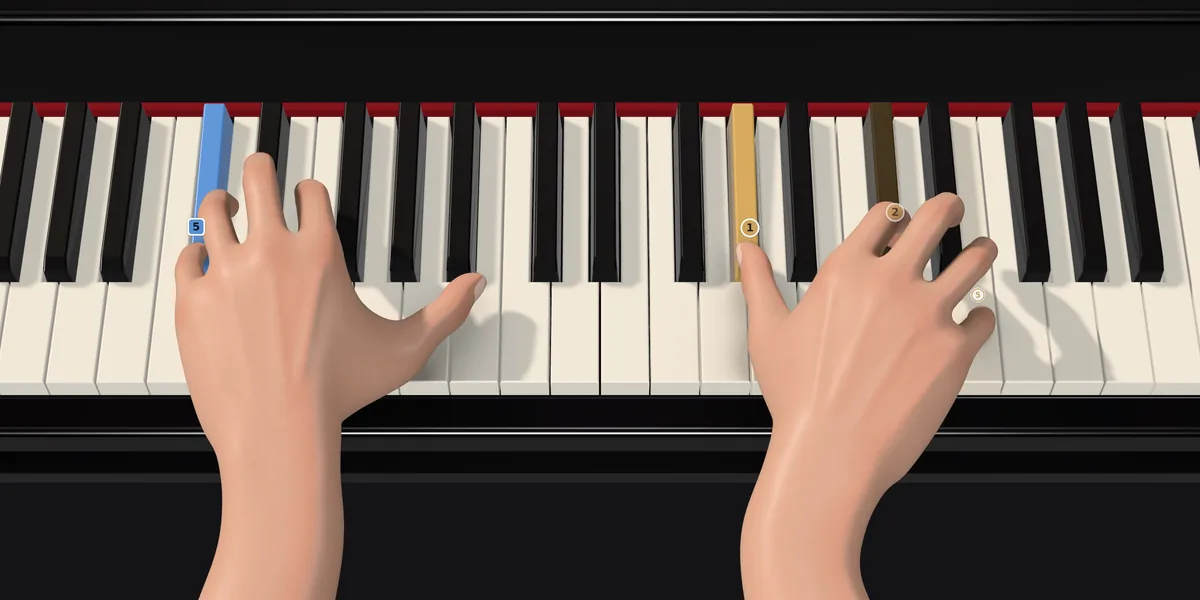
Two hands on a grand piano's keys, seen from the piano stool, the playing fingers numbered.
The Pianiz practice screen: the score above, the tutor's hint, and both hands playing in 3D.
How it works

Three steps, every lesson

  1. Connect your keyboard

    Plug in any MIDI keyboard, or play a real piano near your microphone. Pianiz hears every key you press, and can play its demo notes on your own piano.

  2. Learn it in small pieces

    Every song is split into short parts of a few bars. Listen to the tutor play it, then play along at a tempo that suits you, or let it wait for each note.

  3. Open the next passage

    Reach 85% on both the notes and the timing and the next part opens. Until then, the tutor shows you the exact bar to loop.

Listens

It hears every note you play

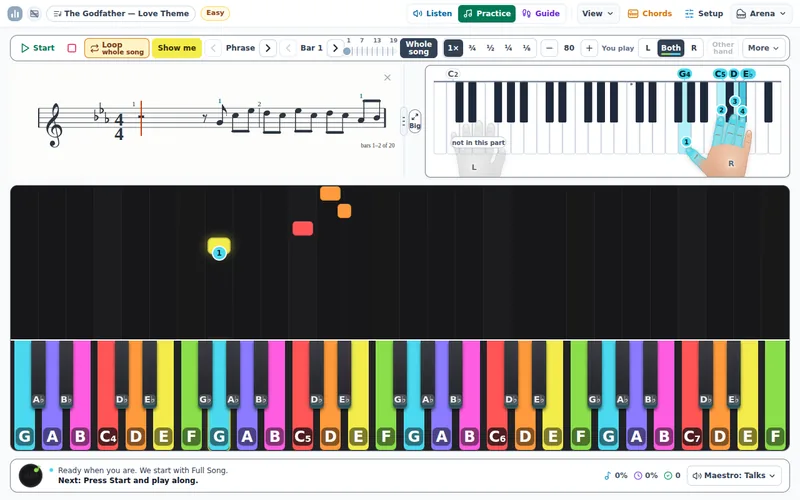
Pianiz scores the notes and the timing of every run, bar by bar. In Wait mode it holds the music until you find the note, lights the key and tells you which finger plays it.

  • Notes and timing, scored separately, for each hand
  • Hints that point to the exact key
  • Spoken guidance in words for your age, which you can switch off
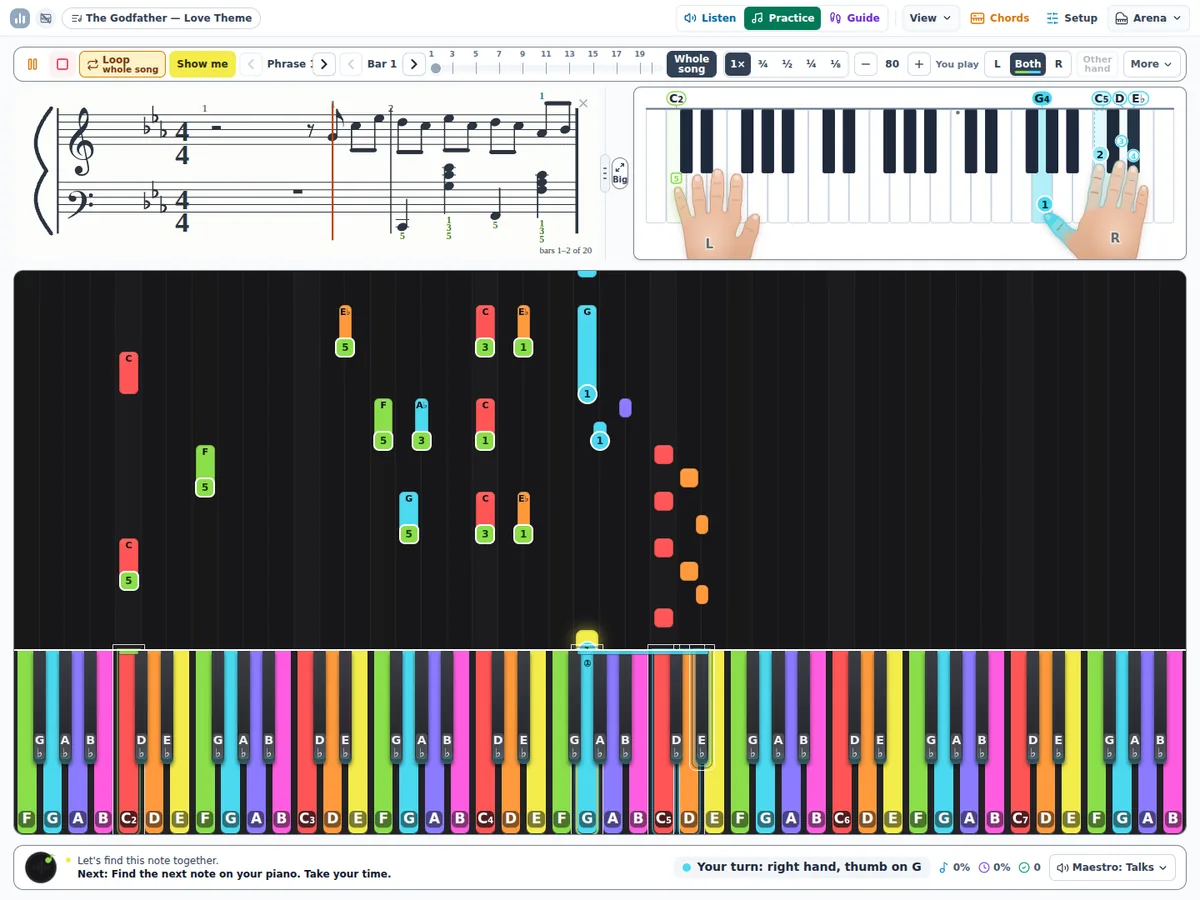
The practice screen in Wait mode: the score, both hands on the keys and the tutor's line naming the next note and finger.
Practice

Small pieces, at your own tempo

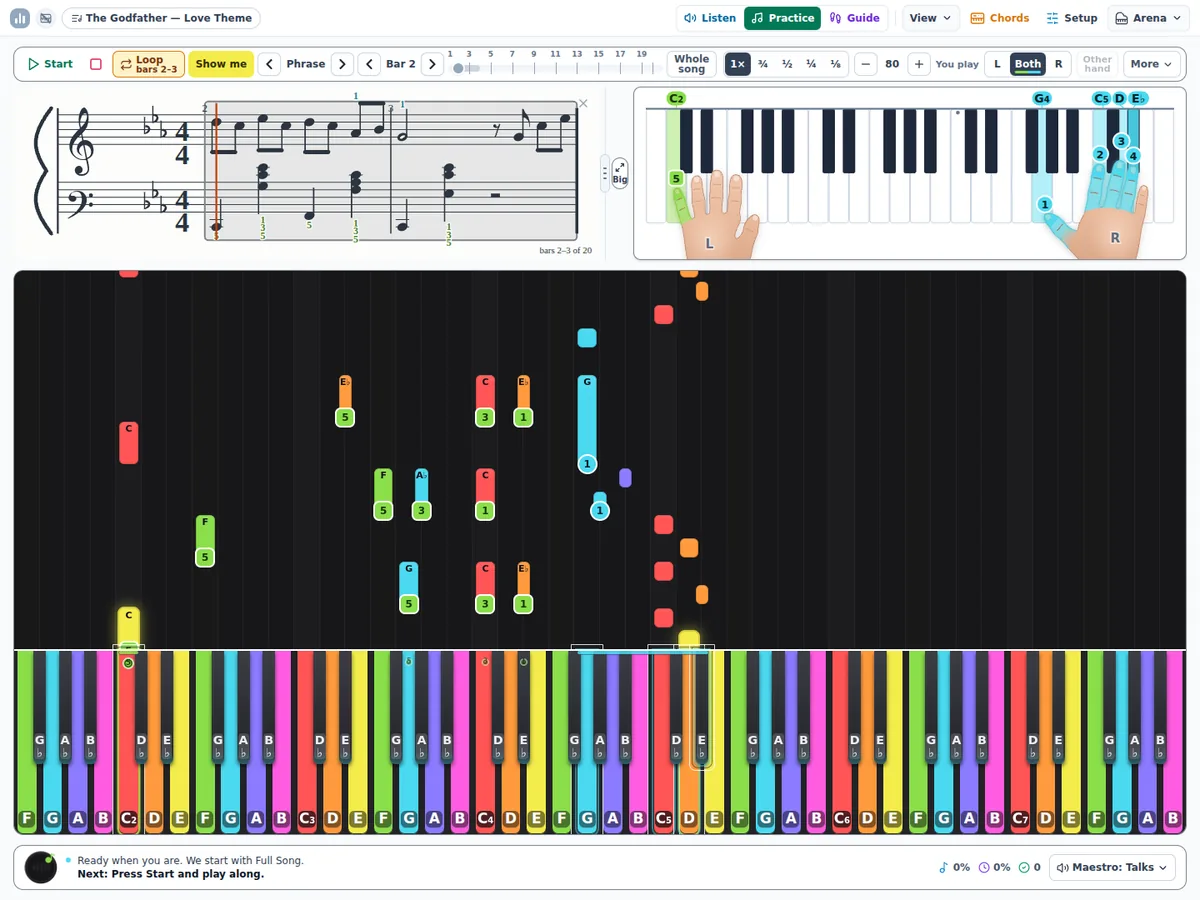
Pick a phrase or a few bars on the score and loop them until they feel easy. Set the tempo from 40 to 240 beats a minute, or slow everything to a quarter or an eighth of the speed, and the hands, the score and the sound stay together.

  • Phrases and bars you pick on the score, on a loop
  • Slow motion down to ⅛ speed, one note at a time if you like
  • Sheet music that follows along
The player bar: Start, Loop, the phrases, the bar stepper, the speed levels and the tempo, above the score with two bars picked.
Guides

See which finger, and where

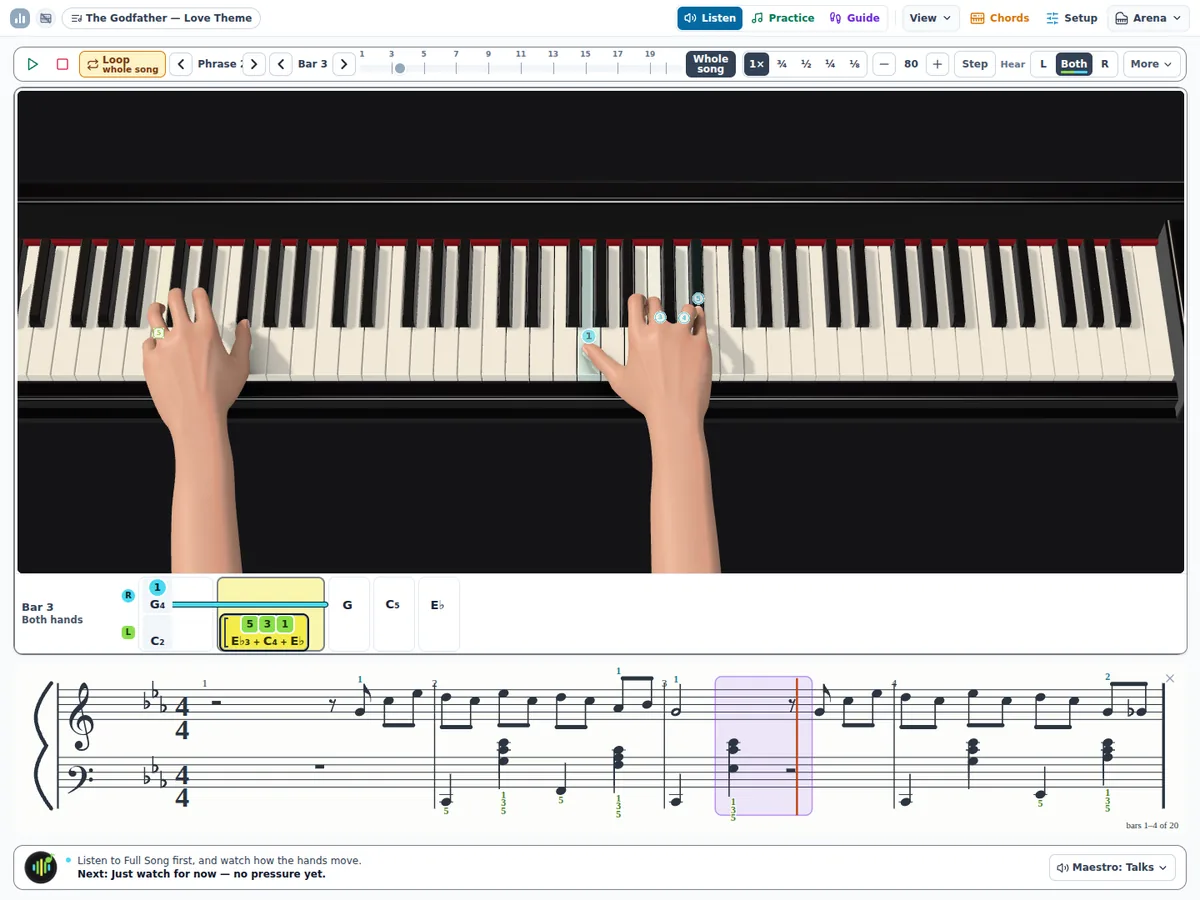
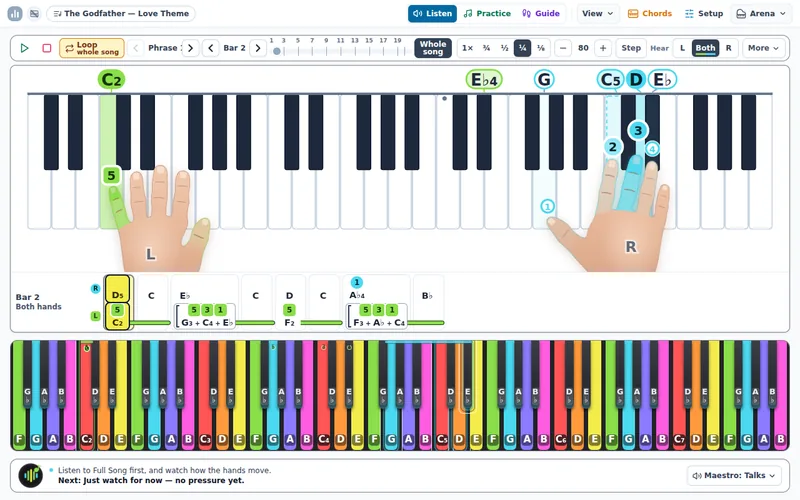
Life-size hands move to every position in the piece: a stretch, a thumb tucking under, a finger crossing over. The finger that plays next is numbered on its key, and the same fingering is printed on the score. Turn on 3D to see them from the piano stool.

  • Hands that change shape with the music
  • Fingering on the keys and on the score
  • Hands on the keys in 2D or 3D, as big as the window
Two 3D hands on a grand piano's keys in the practice screen, the playing fingers numbered.
In every account

More than the next song

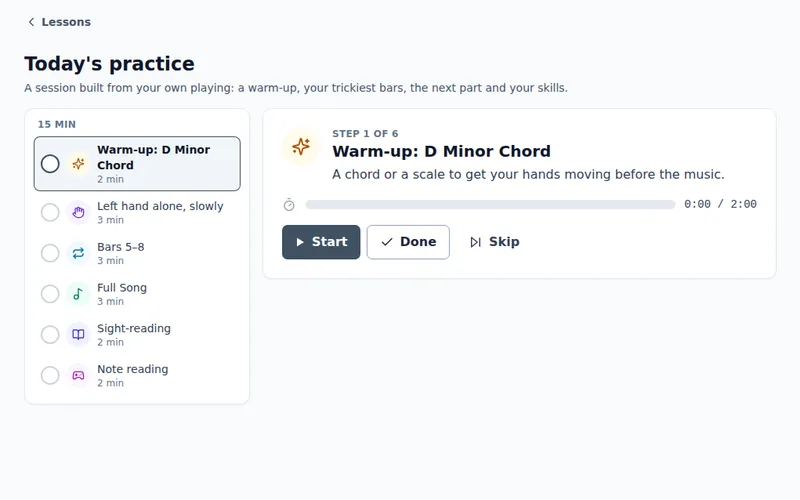
Today's practice: a plan of steps with a timer.

Today's practice

A 10 to 30 minute plan built from your own playing: a warm-up, your trickiest bars, the next part and a game.

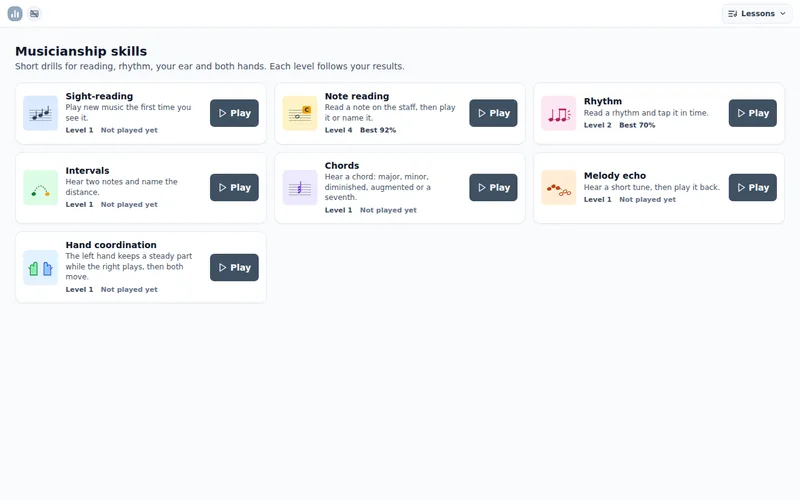
The skills hub: a card for each musicianship game.

Musicianship games

Note reading, rhythm, ear training and two-hand drills, each with 40 levels that follow your progress.

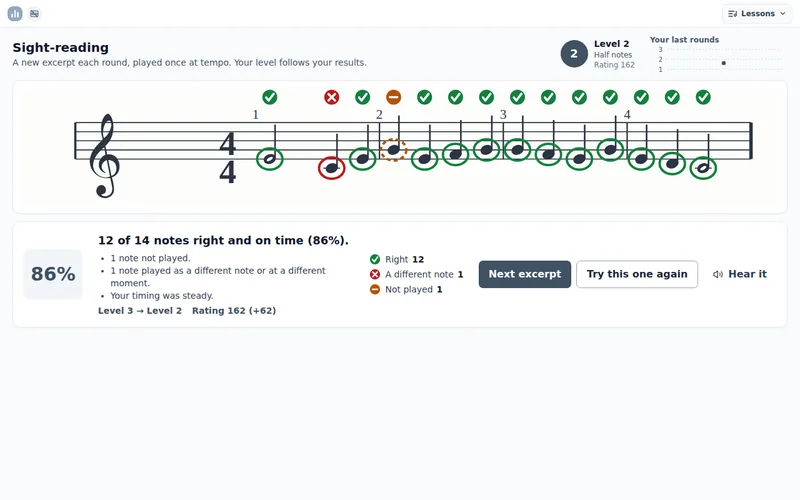
The sight-reading trainer: a short excerpt on the staff, each note marked right or wrong.

Sight-reading

A fresh excerpt at your level every round, played once at tempo and marked note by note.

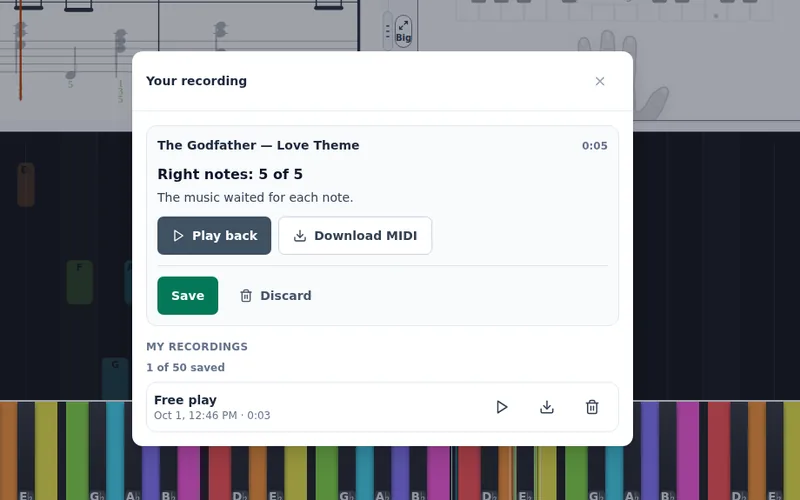
Your recording: the take set against the written notes, with play back and Download MIDI.

Record yourself

Record a take, hear it back on the app's grand piano, compare it with the score and keep it, or download it as a MIDI file.

A song in its Easy version: just the tune, on the treble staff alone.

Easy, Medium or Full

Every song in three versions: just the tune, the tune and the bass, or every note as written.

The hands in slow motion at a quarter speed, the fingers pressing their keys.

Slow motion

Watch a hard passage at a quarter or an eighth of the speed, or step through it one note at a time.

Library

From film themes to Persian classics

Every song is split into short parts, with fingering for both hands and five levels of difficulty. Studios can add their own scores.

  • The Godfather — Love Theme

    Nino Rota

    Level 3
  • Golden Dreams

    Javad Maroofi

    Level 1
  • Flow

    Contemporary piano

    Level 4
  • Jaan-e Maryam

    Persian folk song

    Level 2
  • Pish-daramad-e Esfahan

    Persian classical

    Level 2
  • Gol-e Gandom

    Iranian folk song

    Level 1
  • Mikhaam Beram Kooh

    Iranian folk song

    Level 2
  • Rashid Khân

    Iranian folk song

    Level 1
  • Rang-e Almasi

    Azerbaijani folk dance

    Level 2

Cover photographs from Wikimedia Commons, used under their licences. Credits

For teachers and studios

See the bar every student is stuck on

The Command Center gives teachers a roster, accuracy for every bar and a weekly list of trouble spots. Add your own scores as MusicXML, a PDF or a photo of the page, or a MIDI file; check the hand split and the fingering, then publish them to your students.

Accuracy by barThis week
Bar 6 — Moonlight Sonata61%
85% or more70–84%60–69%under 60%

Questions

What do I need to start?

A computer with Chrome or Edge and a MIDI keyboard connected by USB or Bluetooth; most digital pianos from the last ten years have MIDI built in. No MIDI? A real piano and your device's microphone work too, on a computer, a tablet or a phone.

Who is Pianiz for?

Learners from 3 to 70. The lessons are the same; the words, the hints and the pace follow the learner's age and their own accuracy. Young children get pictures and stars instead of numbers.

How does the tutor know if I played it right?

It compares every note you play with the score and measures how far each one lands from the beat, for each hand. Both scores need to reach 85% before the next part opens.

Does it work on an iPad?

Yes, with a real piano and the microphone. Safari, and every browser on iPhone and iPad, cannot reach a MIDI keyboard yet, so for a MIDI keyboard use Chrome or Edge on a computer.

Can my teacher see my progress?

Yes. Teachers see each student's current part, the accuracy of every bar and the passages they keep stalling on.

Can I try it before I choose a plan?

Yes. A new account starts with a preview of the whole app for one learner. When it ends, you choose a plan.

Why are some songs marked preview only?

A copyrighted song becomes playable once a studio adds note data it holds the rights to. Public-domain works and the songs in our library play straight away.
Your first lesson takes ten minutes.

Start the first lesson